
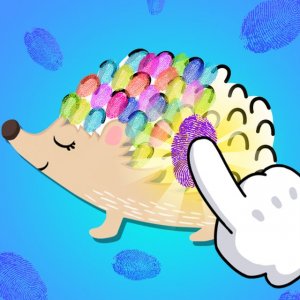
Slime Art Creative Game
A colorful and creative slime game that kids love. Simple controls and fun decorations.
Pony Coloring Fun Game is a digital coloring activity designed for children and anyone who enjoys simple, creative play. The game provides several outline drawings of ponies, each waiting to be filled with color. Players can choose from a palette of soft and bright shades to bring these pony pictures to life. There are no rules or time limits, so everyone can color at their own pace. This game is meant to be a relaxing and positive experience, encouraging artistic expression without pressure. It is a free online game that runs directly in a web browser, making it easy to start playing immediately.
To play, use your mouse or touch screen to select a color from the palette. Then click or tap on any area of the pony outline you wish to color. The selected section will fill with that shade instantly. You can change colors as often as you like, trying different combinations until the pony looks just right. When you finish, you can take a screenshot of your creation to save it. Share the screenshot with friends and family to show off your unique design. The controls are simple and suitable for young children.
This game is free to play with no hidden costs. No downloads or installations are required. It offers a full screen mode for a larger view. The design is mobile friendly and works on phones and tablets. The simple controls are suitable for young children. The game provides a calm, creative break and helps develop color recognition and fine motor skills.
Take your time and experiment with different color combinations. There is no right or wrong way to color, so feel free to be creative. Try using lighter colors first and then add darker shades for contrast. If you make a mistake, you can usually undo or change colors easily. Save your finished artwork by taking a screenshot to share with others. Most importantly, enjoy the process of creating something beautiful.
A colorful and creative slime game that kids love. Simple controls and fun decorations.

A gentle, educational game that teaches ear care through fun, safe interactions with friendly characters.
A delightful memory puzzle with charming animal graphics and adjustable difficulty, perfect for family fun.
A clever logic puzzle that trains your brain. The no-backtracking rule makes each level a satisfying challenge.
A smart mix of math practice and ball-matching fun. Great for kids, free, and easy to play anywhere.

A relaxing, no-pressure coloring game that sparks creativity in children with simple controls and cute pony designs.

A charming, stress-free jigsaw puzzle game with adorable artwork and multiple difficulty levels for all ages.
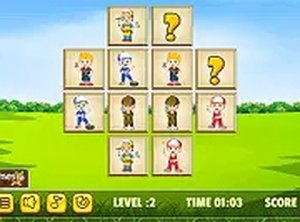
A charming memory game that helps kids learn while having fun. Perfect for family playtime.