

Ben 10 Coloring Book Online
A fun, free coloring game for Ben 10 fans that boosts creativity and focus in a safe environment.
Slime Craft Art Studio is a creative and imaginative crafting experience designed for kids and families. In this game, players explore the art of making and decorating slime by experimenting with various ingredients, colors, and decorations. Each level presents a new slime figure to shape, encouraging creativity and hands-on fun. The game offers a relaxing and engaging activity that works smoothly on any device with a web browser and HTML5 support, including PCs, mobile phones, and tablets. The core objective is to create unique slime creations by following simple instructions and using your imagination. What makes this game special is its focus on artistic expression through a playful medium, allowing players to combine different elements to produce personalized results. It is a safe, non-violent, and educational activity that promotes fine motor skills and color recognition. The game is designed to be accessible for young children while still offering enough depth to keep older players engaged. With a gentle learning curve and no time pressure, it is perfect for relaxing play sessions at home or on the go.
Players typically start by selecting ingredients and mixing them together to form a slime base. Once the base is ready, you can add colorful dyes, glitter, and other fillers to customize the look. After mixing, the slime is shaped into animal figures or other designs as guided by each level. The game uses simple mouse or touch controls, making it easy for players of all ages to enjoy. Progress through levels to unlock new fillers and designs, and complete all challenges to become a slime-making expert. Each level provides clear visual cues and instructions to help you understand the desired shape or figure. The gameplay is intuitive, so even first-time players can start creating right away. There is no time limit, allowing you to work at your own pace and experiment freely.
Creative slime making with a variety of dyes, glitter decorations, and fillers. Each level introduces new slime figures and unique decorations to explore. The game is family-friendly and works on all devices with HTML5 support, including full-screen mode for an immersive experience. Simple controls and a gradual difficulty curve make it accessible for beginners while still offering creative depth for experienced players. The game encourages experimentation and artistic expression through a safe, non-violent activity. It is designed to be educational, helping children develop creativity and fine motor skills. The interface is clean and intuitive, with bright colors and friendly graphics that appeal to a young audience.
Take your time to experiment with different color combinations and decorations to discover your favorite styles. Pay attention to the instructions for each level to understand the desired shape or figure. Practice mixing ingredients carefully to achieve the right consistency. Don't be afraid to try new fillers and designs—creativity is key. Completing levels in order helps unlock more options, so focus on progressing step by step. Most importantly, have fun and enjoy the relaxing process of slime crafting.
A fun, free coloring game for Ben 10 fans that boosts creativity and focus in a safe environment.

A gentle, educational game that teaches ear hygiene through positive play. Perfect for young children.
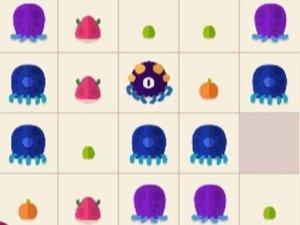
A relaxing and strategic merge puzzle with colorful creatures and no time pressure. Perfect for family fun.

A delightful family puzzle adventure that rewards curiosity and careful observation with a captivating story.

A creative and safe music game that lets anyone compose songs easily with colorful characters and intuitive controls.

A fun, safe music game that lets anyone create beatbox tunes with simple drag-and-drop controls.

A creative sky parking puzzle with simple controls and fun challenges. Great for all ages.

A realistic offroad driving game with challenging terrain and family-friendly fun. Great for all ages.