
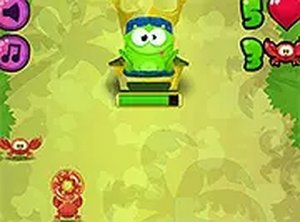
Math Snacks Puzzle
A clever blend of math practice and adventure. Kids enjoy helping King Frog grow while learning.
BTS Dora Coloring Book offers a creative space for children to color their favorite explorer, Dora. The game provides several black-and-white outlines of Dora in different settings, such as exploring the forest or talking with friends. Kids select a color from the palette and tap or click on any area to fill it. This activity supports fine motor skills and color recognition in a relaxed, no-pressure environment. The game is entirely browser-based, so there is no software to install, and it works on both computers and tablets. Parents can feel confident that the content is family-friendly and free from advertisements or external links. Each session can be saved or restarted, encouraging repeated play and artistic growth.
Start by picking an image from the selection screen. Each image shows Dora in a different scene. After choosing, a color palette appears on the side. Click or tap a color to select it, then click or tap the part of the picture you want to color. You can change colors at any time. If you make a mistake, use the undo button to go back one step. The redo button lets you reapply a change. For a bigger view, use the full screen option. The game works with both mouse and touch controls. There are no timers or scores, so you can color at your own speed. When finished, you can save your artwork as an image or start a new page.
This free online game requires no downloads or registration. It supports both desktop and mobile devices with touch or mouse input. Full screen mode is available for an immersive experience. The palette includes many colors to choose from. Undo and redo buttons help fix mistakes easily. The game is completely ad-free and safe for children.
Encourage children to experiment with different color combinations to see how they look together. Using lighter colors first can help define areas before adding darker shades. The undo button is helpful for trying new ideas without worry. Saving completed artwork allows kids to track their progress and feel proud of their creations. Coloring regularly can improve hand-eye coordination and color recognition over time.
A clever blend of math practice and adventure. Kids enjoy helping King Frog grow while learning.
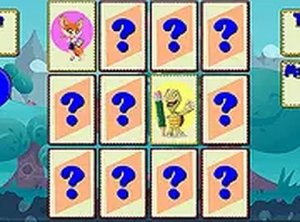
Charming animal graphics and smooth gameplay. A relaxing memory challenge that works well on mobile.
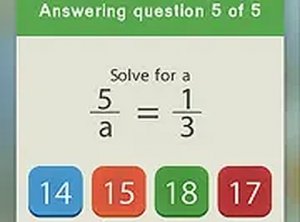
Smart mix of math drills and matching fun. Bright graphics and easy controls keep kids engaged.
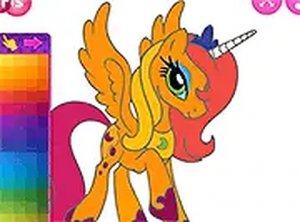
Clean, simple coloring fun with cute pony designs. Great for young children and relaxing breaks.

Charming artwork and smooth gameplay. Perfect for a quick, relaxing puzzle break.
A gentle, effective way for kids to learn shapes. Simple controls and clear feedback make it a winner.
Simple card matching game that improves memory. Clean visuals and smooth performance on any device.
Relaxing idle game with clear progression. Boosters and combos add satisfying variety.