
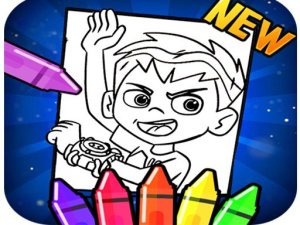
Ben 10 Coloring Book Online
A fun, free coloring game for Ben 10 fans that boosts creativity and focus in a safe environment.
Kids Guitar Music Play is an online game designed for young children to explore music and creativity. The game offers a virtual guitar that players can play by clicking or tapping to produce musical notes. Beyond just playing, children can customize the guitar with different colors and patterns, allowing them to express their personal style. Additionally, the game includes a simple letter sorting activity where kids drag and drop letters into the correct boxes, adding an educational element. This combination of music, art, and basic literacy makes it a well-rounded activity for kids. The game runs directly in the browser without any downloads, making it accessible on both mobile and desktop devices. Parents can feel confident letting their children play, as the content is family-friendly and designed for safe, independent play.
Playing Kids Guitar Music Play is straightforward. Use your mouse or touch screen to interact with the game elements. To play the guitar, simply click or tap on the strings to hear different notes. For customization, choose from the available colors and patterns by tapping on them, and the guitar will update instantly. The letter sorting activity requires you to drag and drop each letter into its matching box. The game provides clear visual cues and feedback, so children can easily understand what to do. No instructions are needed beyond these simple steps, and the game is designed for intuitive play. It works seamlessly on both mobile phones and desktop computers, ensuring a consistent experience across devices.
Game features include creative guitar play with multiple notes. Customization options for colors and patterns. Letter sorting activity for early learning. Browser-based, no downloads required. Works on mobile and desktop. Family-friendly and safe content.
To get the most out of Kids Guitar Music Play, encourage children to explore freely. Trying different colors and patterns helps develop creativity. Practicing letter sorting can reinforce early literacy skills. Playing the guitar in various ways can help children discover different sounds and rhythms. Regular short sessions are ideal for maintaining interest and building confidence.
A fun, free coloring game for Ben 10 fans that boosts creativity and focus in a safe environment.
A colorful and creative slime game that kids love. Simple controls and fun decorations.

A gentle, educational game that teaches ear hygiene through positive play. Perfect for young children.

A delightful, stress-free jigsaw puzzle with beautiful hand-drawn scenes and no violence.
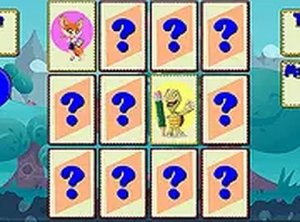
A calm, free memory game with cute animals and adjustable difficulty. Perfect for all ages to sharpen focus.

A calm, creative coloring game for kids with simple controls and no pressure.
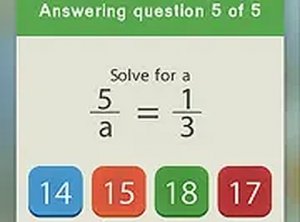
A fun, educational puzzle that makes math practice enjoyable for kids with colorful sports ball matching.
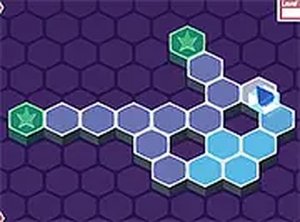
A clever hex-grid puzzle that rewards careful planning. The no-backtracking rule makes each level a fun challenge.