
Math Snacks Puzzle
A clever blend of math practice and adventure. Kids enjoy helping King Frog grow while learning.
Count and Compare 2 is the second part of a popular series designed to introduce young children to basic math concepts. The game presents two pictures with different numbers of items. Players count the items in each picture and then select the correct comparison sign: greater than, less than, or equal to. This simple yet effective approach helps children understand number relationships and builds a strong foundation for early math learning. The game is entirely family-safe and runs directly in any web browser on desktop or mobile devices. It is free to play and requires no downloads or registration, making it easy for kids to start learning immediately.
Look at the two pictures on the screen. Count the number of items in each picture carefully. Then, tap the correct comparison sign from the options shown. The signs are greater than, less than, and equal to. Each correct answer helps reinforce counting and comparison skills. The game is designed to be intuitive, so children can play with minimal supervision. It works on both touchscreens and with a mouse, making it accessible on various devices.
Fun counting and comparison gameplay for kids. Colorful and engaging pictures keep children interested. Simple tap or click controls are easy for young players. Works on desktop and mobile browsers without any downloads. Completely free to play with no ads or in-app purchases. Helps develop number recognition, grouping, and classification skills.
Encourage children to count each item one by one to avoid missing any. Practice regularly with different picture sets to build speed and confidence. Celebrate correct answers to keep learning positive and fun. If a child struggles, take a break and try again later. Consistent short sessions are more effective than long ones.
A clever blend of math practice and adventure. Kids enjoy helping King Frog grow while learning.
Charming animal graphics and smooth gameplay. A relaxing memory challenge that works well on mobile.
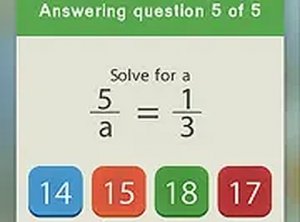
Smart mix of math drills and matching fun. Bright graphics and easy controls keep kids engaged.
Clean, simple coloring fun with cute pony designs. Great for young children and relaxing breaks.
Charming artwork and smooth gameplay. Perfect for a quick, relaxing puzzle break.
A gentle, effective way for kids to learn shapes. Simple controls and clear feedback make it a winner.
Simple card matching game that improves memory. Clean visuals and smooth performance on any device.
Relaxing idle game with clear progression. Boosters and combos add satisfying variety.